
21 Signs a Text or Email Is a Scam (And What to Do Next)
Tech & Online Safety
2/3/20255 min read
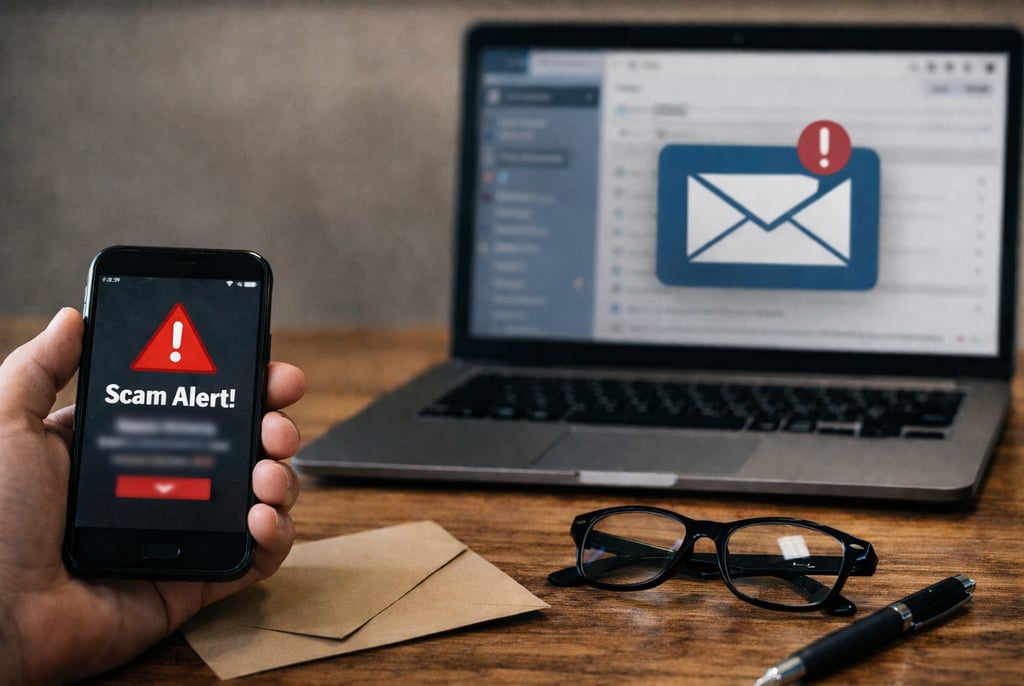
Most people don’t fall for scams because they’re careless. They fall for them because they’re busy, distracted, or caught at the wrong moment. Scam messages are designed to show up when you’re tired, rushed, or already dealing with something else.
Over the years, scam texts and emails have become more polished and convincing. Some look almost identical to messages from real banks, delivery companies, employers, or government agencies. The difference is rarely obvious at first glance. It usually shows up in small details, timing, or tone.
The signs below aren’t about memorizing rules. They’re about learning how scam messages feel once you know what to look for.
1. The Message Creates Immediate Urgency
Urgency is one of the strongest tools scammers use. The message pushes you to act now, warning that something bad will happen if you wait. This urgency is meant to override your instinct to pause and verify.
Legitimate organizations understand that people need time to respond. They rarely rely on a single message to demand instant action. When something feels rushed, that’s your cue to slow down.
2. It Uses Fear as the Primary Motivator
Scam messages often rely on fear to drive action. They may warn of account suspension, legal trouble, identity theft, or financial loss. The fear is usually vague but alarming.
Real companies typically explain issues clearly and provide multiple ways to resolve them. Fear without clarity is a red flag.
3. The Sender Claims to Be a Well-Known Organization
Scammers frequently impersonate banks, shipping companies, government agencies, and popular brands. They rely on familiarity to lower your guard.
The message may look official, but appearance alone isn’t proof. Always verify by going directly to the organization’s official website or contacting them through known channels.
4. The Contact Details Are Slightly Off
One of the easiest signs to miss is a small change in an email address or phone number. Extra letters, numbers, or unusual domains are common tricks.
These details are easy to overlook when you’re scanning quickly, which is exactly what scammers count on.
5. You’re Asked to Click a Link Without Explanation
Scam messages often include a link with little context beyond “click here” or “verify now.” The link may look legitimate but lead to a fake website.
If a message pressures you to click before you understand what’s happening, treat it with caution.
6. The Message Requests Sensitive Information
Requests for passwords, verification codes, or personal information are strong indicators of a scam. Legitimate organizations don’t ask for sensitive data through unsecured messages.
Once shared, this information can be used immediately.
7. The Greeting Is Generic or Impersonal
Messages that don’t address you by name often indicate mass distribution. While not every generic greeting is a scam, it should raise your awareness.
Personalized communication is more common with legitimate companies.
8. The Language Feels Slightly Unnatural
Even well-written scams often have phrasing that feels “off.” This might be awkward wording, inconsistent tone, or unusual sentence structure.
Trusting that subtle discomfort can prevent mistakes.
9. The Message Mentions a Problem You Didn’t Know Existed
Scammers often invent issues like failed deliveries, suspicious logins, or unpaid balances. The surprise itself creates urgency.
If you weren’t expecting a problem, pause and verify independently.
10. You’re Asked to Open an Attachment
Unexpected attachments are dangerous. Scam emails often include invoices, receipts, or documents you didn’t request.
Opening attachments can install malware or compromise your device.
11. The Message Tries to Trigger an Emotional Reaction
Fear isn’t the only emotion scammers use. Excitement, sympathy, or curiosity can be just as effective.
Any message that pushes emotional buttons should be handled carefully.
12. The Request Breaks Normal Procedures
Scammers often ask for actions that don’t align with standard business practices. Paying fees through gift cards or transferring money quickly are common examples.
Legitimate organizations follow predictable processes.
13. The Link Doesn’t Match the Official Website
Hovering over a link often reveals a destination that doesn’t match the sender’s claimed identity.
A mismatch between appearance and destination is a strong warning sign.
14. You’re Asked to Keep the Message Secret
Some scam messages discourage sharing or seeking advice. This isolation tactic prevents verification.
Legitimate organizations don’t ask you to keep communication confidential.
15. The Message References Current Events
Scammers often exploit news cycles, tax season, or recent data breaches. Timely topics make scams feel more believable.
Context matters. Ask why this message is reaching you now.
16. It Appears to Come From Someone You Know
Scammers may spoof phone numbers or email addresses to impersonate contacts. The message may feel familiar but slightly off.
When in doubt, verify through a different method.
17. The Tone Feels Inconsistent
Many scam messages shift tone abruptly, moving from polite to urgent or threatening.
Consistency is common in legitimate communication. Sudden changes are suspicious.
18. Payment Is Requested in Unusual Forms
Requests for payment through gift cards, wire transfers, or cryptocurrency are major red flags.
These methods are difficult to trace and favored by scammers.
19. The Timing Feels Odd
Scam messages often arrive late at night or during unusual hours, when people are more likely to be tired and less cautious.
Timing alone isn’t proof, but it adds context.
20. The Offer Seems Too Good to Be True
Unexpected refunds, prizes, or rewards are common scam tactics.
If you didn’t enter a contest or request a refund, be skeptical.
21. You Feel Pressured to Act Alone
Scammers want quick decisions made without input from others. Isolation increases success.
Slowing down and asking someone else is one of the best defenses.
Next Steps
Recognizing the signs of a scam is important, but knowing what to do next matters just as much. Acting calmly and methodically can protect your information and limit potential damage.
Quick Checklist: What to Do If You Receive a Suspicious Text or Email
Use this checklist when something doesn’t feel right.
☐ Don’t click links or open attachments
☐ Don’t reply to the message
☐ Check sender details carefully
☐ Visit official websites directly
☐ Contact companies using verified information
☐ Save screenshots for records
☐ Delete the message after documenting
☐ Block the sender
☐ Report as spam or phishing
☐ Monitor accounts for unusual activity
☐ Change passwords if needed
☐ Enable two-factor authentication
FAQ
How can I tell if a text or email is a scam?
Scam texts and emails often use urgency, fear, or emotional pressure to get quick action. Checking the sender’s details, avoiding links, and verifying messages through official channels can help you spot scams and phishing attempts.
Should I respond to a suspected scam text or email?
No. Replying can confirm your contact information and lead to more scam or phishing messages. It’s best to avoid responding and report the message instead.
What should I do if I clicked a scam link?
If you clicked a suspicious link, close the page immediately and avoid entering any information. Monitor your accounts, change passwords if needed, and run security checks on your device.
Can scam emails and texts look legitimate?
Yes. Many scams are designed to closely mimic real companies, including logos, formatting, and tone. This is why it’s important to verify messages independently rather than trusting appearances.
Why do scam messages create urgency?
Urgency reduces the chance that someone will pause to think or verify the message. Scammers rely on rushed decisions to succeed.
Is it safe to open attachments from unknown senders?
No. Attachments from unknown or unexpected senders can contain malware or viruses. It’s safest to delete these messages without opening the files.
Contact
Questions? Reach out anytime.
Phone
hello@21goodinfo.com
© 2025. All rights reserved.